SDK Flow
RIA SDK Integration Flow
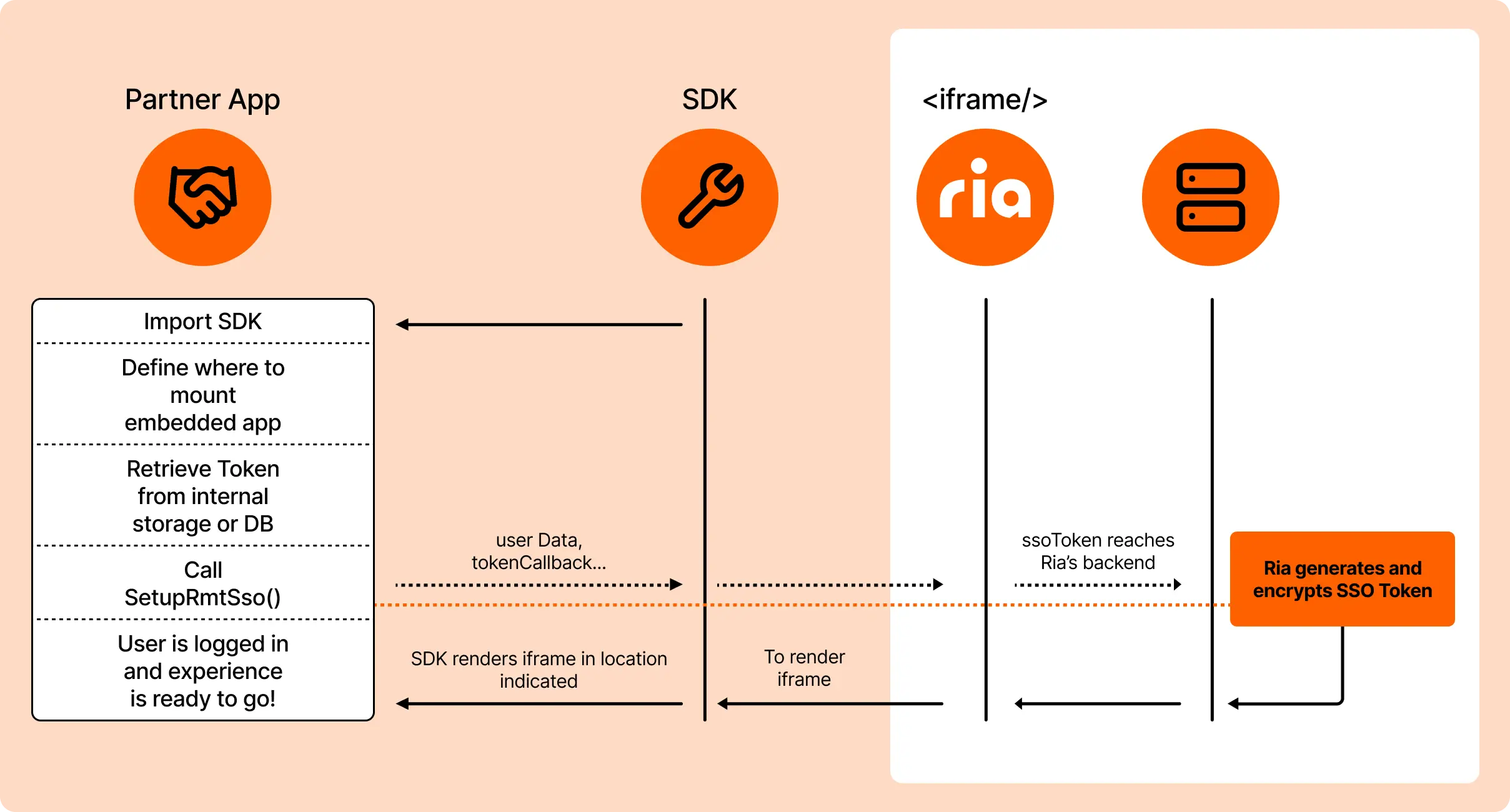
Section titled “RIA SDK Integration Flow”The diagram below illustrates the integration flow for embedding Ria’s money transfer experience using the SDK:
- Import the SDK into your application.
- Define the mount point for the embedded app (where the iframe will be rendered).
- Retrieve the SSO token from your internal storage or database.
- Call
SetupRmtSso()with the required user data and token callback. - The SDK renders the iframe and passes the SSO token securely to Ria’s backend for validation.
- Once validated, the user is logged in and the embedded experience is ready to use.
This flow shows authentication and communication, allowing you to focus on your app logic while Ria handles compliance, security, and user experience within the iframe.
First-time user flow
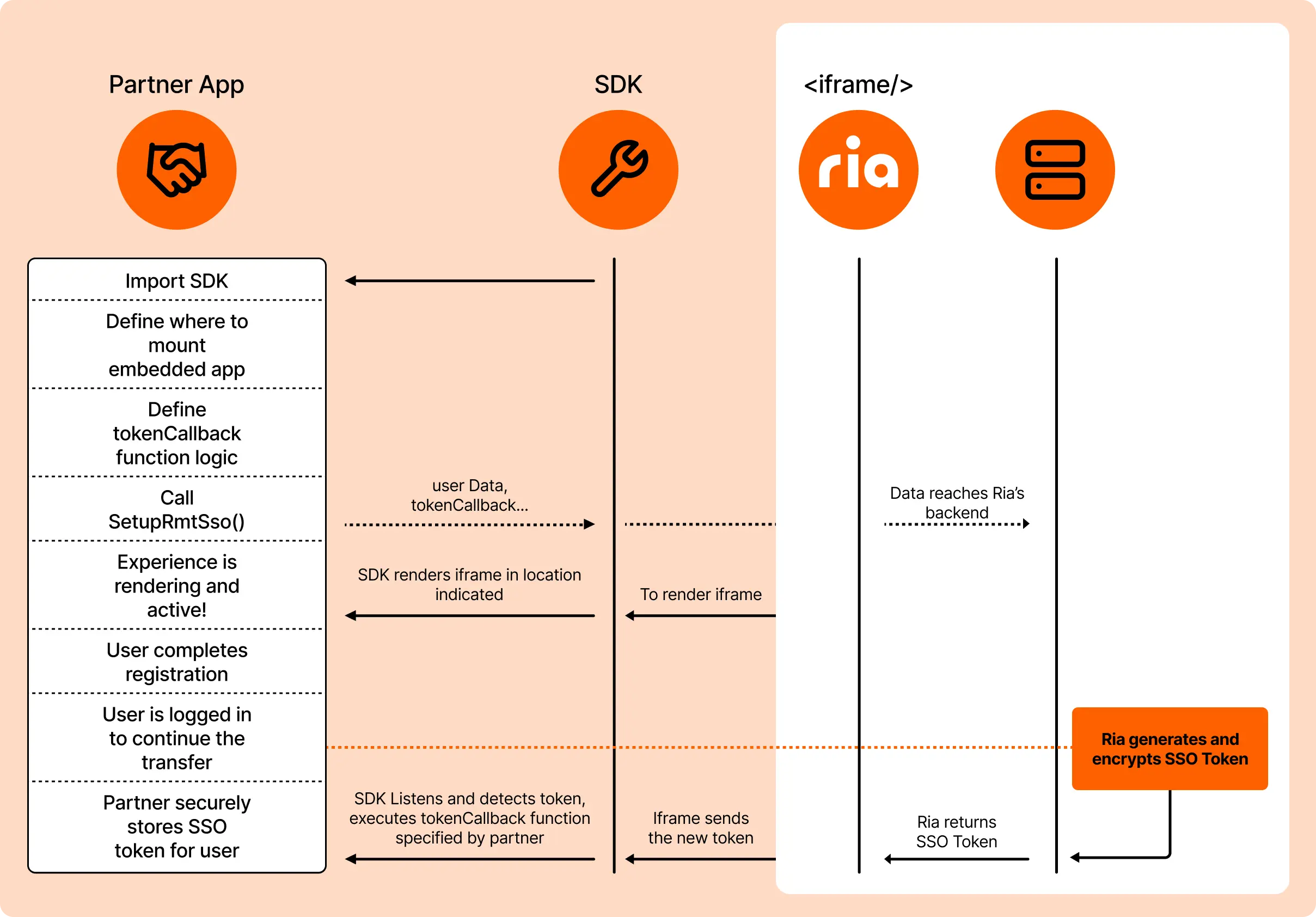
Section titled “First-time user flow”- Define the tokenCallback function logic to handle the SSO token.
- Call
SetupRmtSso()and the SDK renders the iframe. - User completes registration within the iframe.
- Ria generates and encrypts the SSO token.
- SDK executes your tokenCallback function with the new token.
- Partner app securely stores the SSO token for future sessions.
- User is logged in and ready to complete their transfer.
Returning user flow
Section titled “Returning user flow”- Retrieve the stored SSO token from your internal storage or database.
- Call
SetupRmtSso()with the existing token. - Ria validates the token and renders the iframe with the user authenticated.
- Experience is ready immediately—no additional login required.